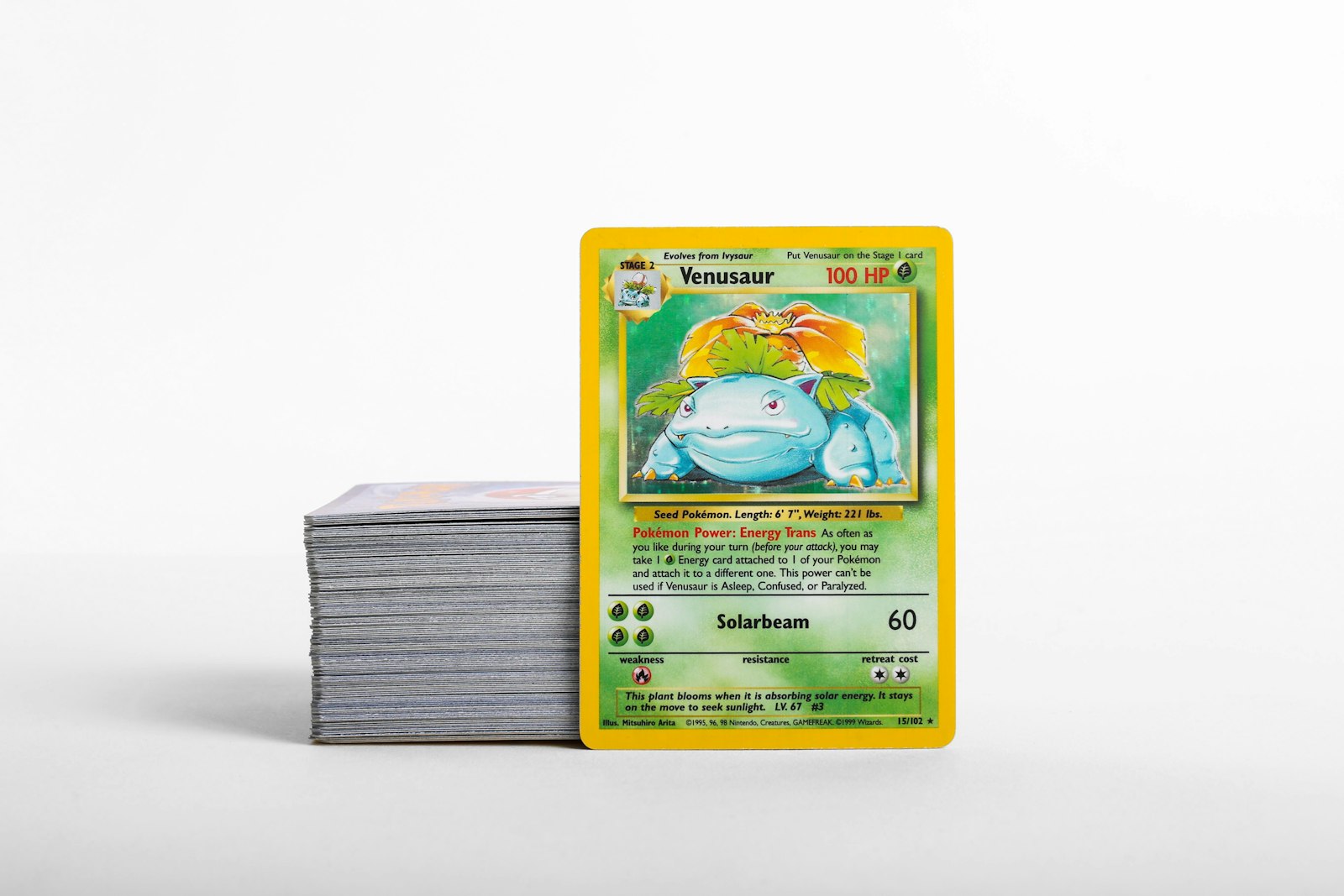
Every time you open a fresh pack, sort a new stack of trade singles, or reorganize your favorite binder, your raw cards undergo physical handling. While major damage like creases and water stains get immediate attention, micro-friction wear quietly erodes card condition over time. Tiny specks of dust dragged across a glossy foil surface can create micro-scratches, and sliding unprotected cards into tight binder pockets often leaves subtle whitening along top edges.
For active collectors, keeping cards in near-mint condition requires a balanced routine. Protecting your collection should never mean leaving cards locked away where you cannot enjoy them. By setting up a low-friction handling workflow, you can scan, view, and store your cards safely without causing avoidable wear.
Why Micro-Friction Is the Hidden Enemy of Raw Pokemon Cards
Friction wear happens when card surfaces, edges, or corners rub against hard or abrasive materials. Modern holofoil cards, textured ultra-raires, and vintage gloss surfaces are particularly vulnerable to these minor physical contacts.
Unlike an accidental drop that causes a visible corner dent, friction wear builds up incrementally through small, repeated actions:
- Surface micro-scratches: Created when dust particles slide under a card while it moves across a hard desk surface.
- Top-edge whitening: Caused by sliding unsleeved card edges repeatedly against plastic binder pocket seams.
- Corner fraying: Triggered when forcing tight fits into rigid holders or improperly sized sleeves.
- Foil scuffing: Caused by stacking raw holofoil cards directly on top of each other while sorting.
Understanding where this wear occurs allows you to change how you handle cards during routine maintenance.
High-Risk Handling Stages in Every Collector Routine
Most friction damage does not occur when cards are resting safely inside a binder or box. It happens during transitions—when cards move between packs, sorting tables, phone cameras, and protective sleeves.
Unsorted Stack ──> Desk Inspection ──> Camera Scanning ──> Sleeving ──> Final Archival
(High Risk) (High Risk) (Low Risk) (Low Risk) (Protected)- Unpacking and Initial Intake: Pulling cards quickly from tight foil packs or sliding raw cards out of bubble mailers.
- Sorting and Cataloging: Shuffling un-sleeved cards into set-number stacks or dragging cards across a bare table.
- Digitizing Collections: Flipping cards back and forth over a desk while taking photos or running mobile scans.
- Binder Reorganization: Extracting cards from tight pocket pages without proper sleeve backing.
By building simple habits around these four transition points, you eliminate almost all avoidable handling wear.
Setting Up a Clean, Low-Friction Surface for Sorting and Scanning
Never sort or scan raw cards on bare wooden, glass, or plastic desks. Dust particles on hard surfaces act like fine sandpaper under the light pressure of your fingers.
Set up a dedicated workspace using a micro-fiber gaming playmat or a clean felt desk pad. Playmats give a soft cushion under the card edges, making it easy to slide a finger under the card corners without scraping them against a hard tabletop.
Before starting any session:
- Wipe down your mat: Use a lint roller to pick up stray dust, pet hair, or binder debris.
- Wash and dry your hands: Clean, dry hands are better than cotton gloves for raw cards. Gloves reduce finger tactile feel and often cause slips or corner bends.
- Keep sleeves ready: Place a fresh pack of penny sleeves directly next to your workspace so every valuable pull gets sleeved immediately.
When using a Pokemon card scanner app to catalog fresh pulls, position your phone over your playmat. Lay each card down gently, take the scan, and slide it straight into a protective sleeve without dragging it across the surface.
Sleeve Selection: Preventing Pocket Dust and Surface Scratches
Not all sleeves protect cards equally during physical movements. Choosing the right sleeve type depends on where the card is headed next.
| Sleeve Type | Primary Purpose | Best Used For | | :--- | :--- | :--- | | Standard Penny Sleeves | Low-friction surface barrier | Sorting, bulk staging, raw storage | | Perfect-Fit Sleeves | Tight inner seal | Double-sleeving high-value binder copies | | Matte Outer Sleeves | Easy handling and non-glare | Gameplay decks and trade binder display |
Standard soft penny sleeves are the best choice for initial intake. Their oversized dimensions allow cards to slide inside without friction along the side borders. If you plan to archive cards long-term in side-loading binder pages, a penny sleeve or a double-sleeving combination (perfect fit loaded top-down, standard sleeve loaded bottom-up) prevents ambient dust from settling on top edges.
Safe Binder Insertion and Removal Techniques
Binder pages are fantastic for viewing collections, but rough page loading ruins top edges. Side-loading binder pages are significantly safer than top-loading pages because they prevent cards from falling out when pages turn.
To insert cards safely into side-loading pages:
- Always sleeve the card in a penny sleeve or clean outer sleeve first.
- Hold the sleeved card by its side edges—never press on the center of the foil surface.
- Gently flex the binder pocket open with your off-hand index finger.
- Slide the sleeved card into the pocket slowly until centered.
To remove a card from a binder pocket, gently press the back of the binder page upward behind the card to lift the sleeve edge out of the pocket opening. Grab the top edge of the sleeve—not the card itself—and slide it out cleanly. Never use fingernails to pry a raw card edge from a pocket.
Managing Storage Box Friction for Bulk and Secondary Singles
Cards stored in cardboard collection boxes face friction whenever boxes move or transport to local trade events. Loose cards sloshing around in a half-empty box row develop corner whitening from repeated sliding.
Prevent box wear with three basic practices:
- Use Foam Blockers: Fill empty space in storage box rows with high-density foam blocks or card index dividers so cards stay snug and upright.
- Group Minor Hits in Team Bags: Put small sets of sleeved holo rares or regional promos into resealable team bags to keep them upright and friction-free.
- Avoid Over-Tightening: Do not wedge cards into a row so tightly that removing one card scrapes its neighbors. Leave enough breathing room to tilt cards forward cleanly.
Syncing Physical Storage Changes with Your Digital Inventory Tracker
Preventing physical wear is much easier when you know exactly where every card lives without shuffling through binders and storage boxes unnecessarily. Every time you pull cards out to locate a duplicate, you re-introduce handling wear.
Using a digital Pokemon collection app lets you verify your exact inventory, card condition, and set progress right from your phone. Before pulling out physical binders, check your app to confirm which box or binder slot holds the specific card you need.
When your inventory tracker includes a built-in Pokemon card price checker, you can evaluate your collection's overall market value and decide which cards warrant upgrading from simple penny sleeves to rigid top loaders or side-loading binder pages.
Build a Friction-Free Archival Workflow Today
Protecting your Pokemon card collection requires consistency, safe handling surfaces, and organized storage habits. By reducing handling touchpoints and protecting cards before moving them between binders and boxes, you keep your raw collection looking fresh from pack-opening day onward.
Ready to organize your collection without unnecessary card handling? Download PokeSnap on iOS or Android to scan cards instantly, track conditions, check current market values, and keep your physical storage organized.